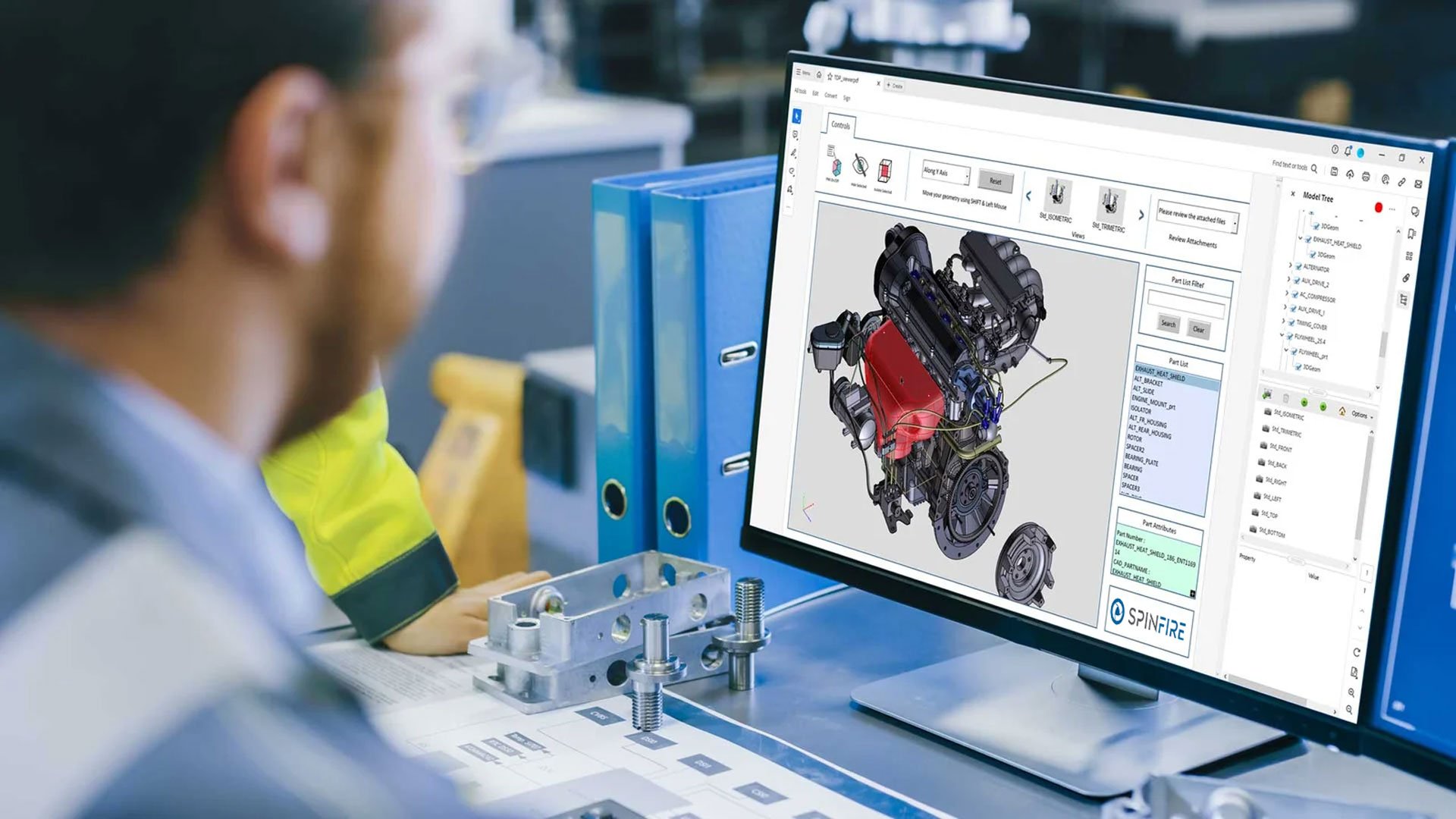
Access CAD data without specialized software while maintaining control over sensitive information. Protect intellectual property with password protection and secure file sharing.
Optimize File Sharing
Work with files that are significantly smaller than full CAD models to simplify sharing, improve performance, and enable seamless data exchange across teams, CAD and PLM systems.
Improve Communication & Reduce Errors
Keep internal and external stakeholders working from the same trusted data source. Minimize miscommunication and reduce costly development errors.
Ensure Superior Product Quality
Support better decision-making throughout the product lifecycle with clear, accessible design data, improving both product outcomes and operational efficiency.
Publish CAD to Interactive 3D PDF Templates
Manufacturers use SpinFire Convert to publish interactive 3D documentation, including technical data packages, dynamic work instructions, and more.
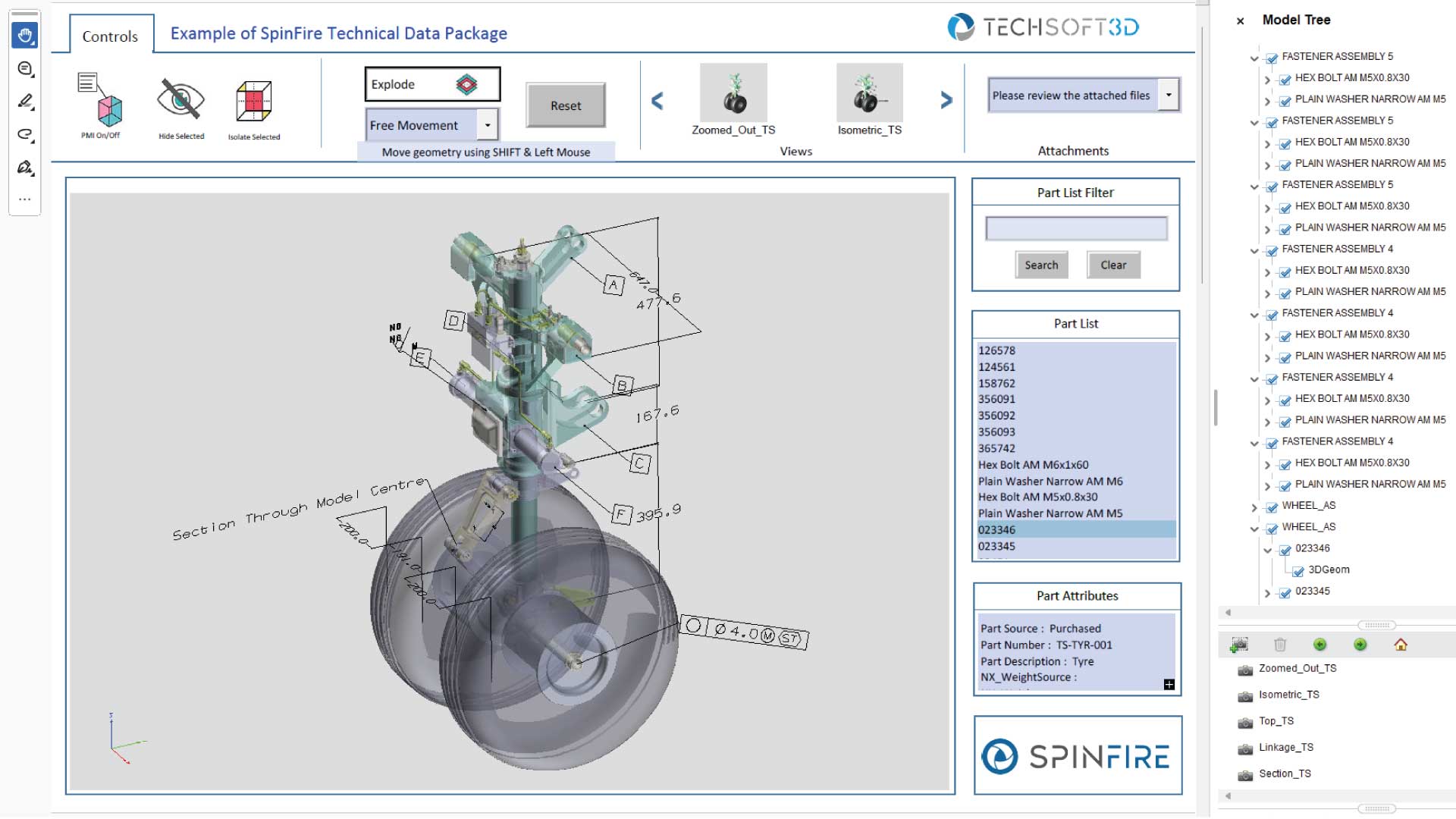
Technical Data Package
Create accurate, fully integrated Technical Data Packages in a single 3D PDF, combining interactive CAD with all supporting documents. Make complex information easier to understand and share across teams.
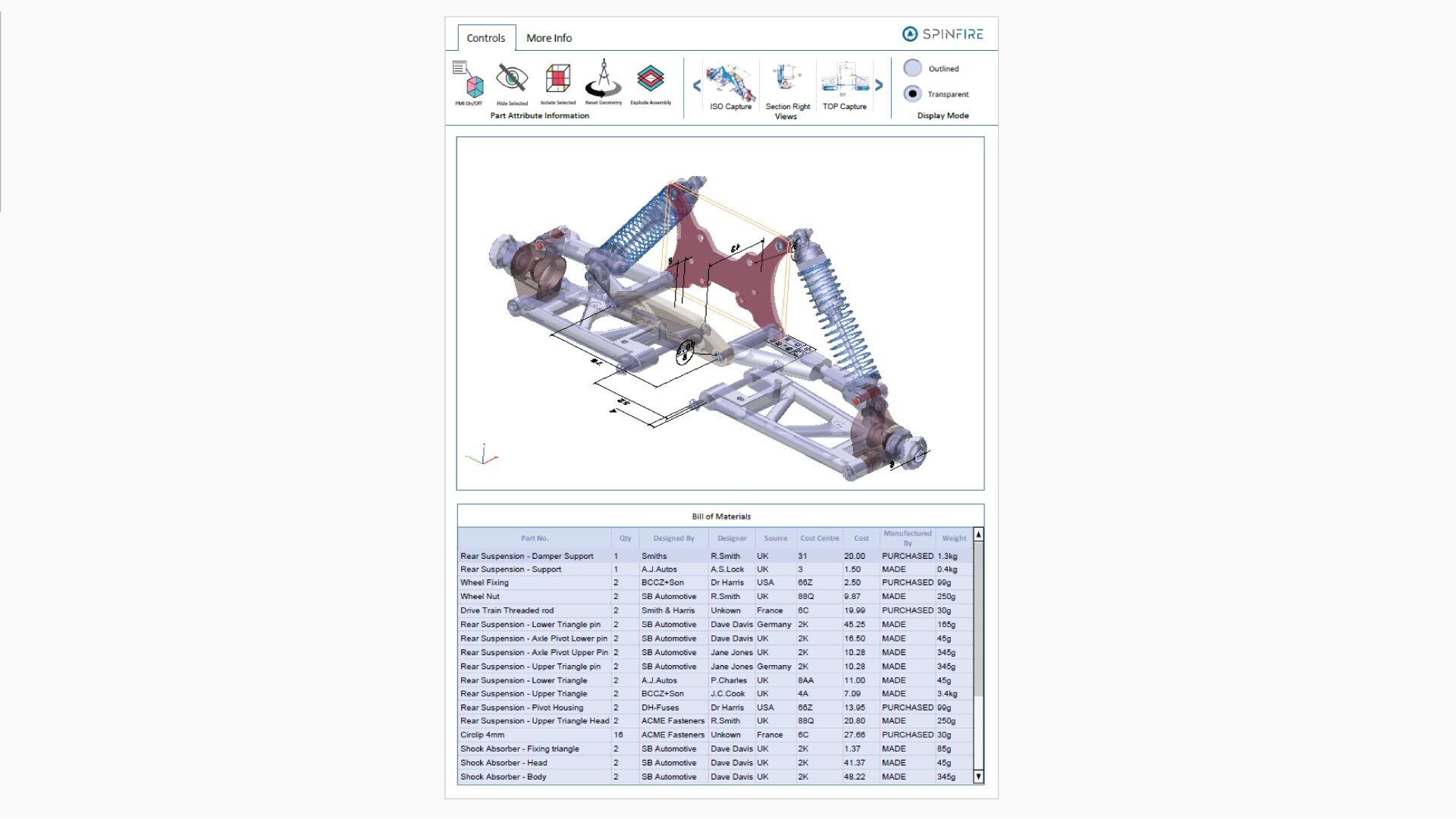
Bill of Materials
Create accurate, fully integrated Bills of Materials in a single 3D PDF, combining structured components, metadata, and interactive CAD. Reduce manual errors and give teams instant access to the information they need for assembly.
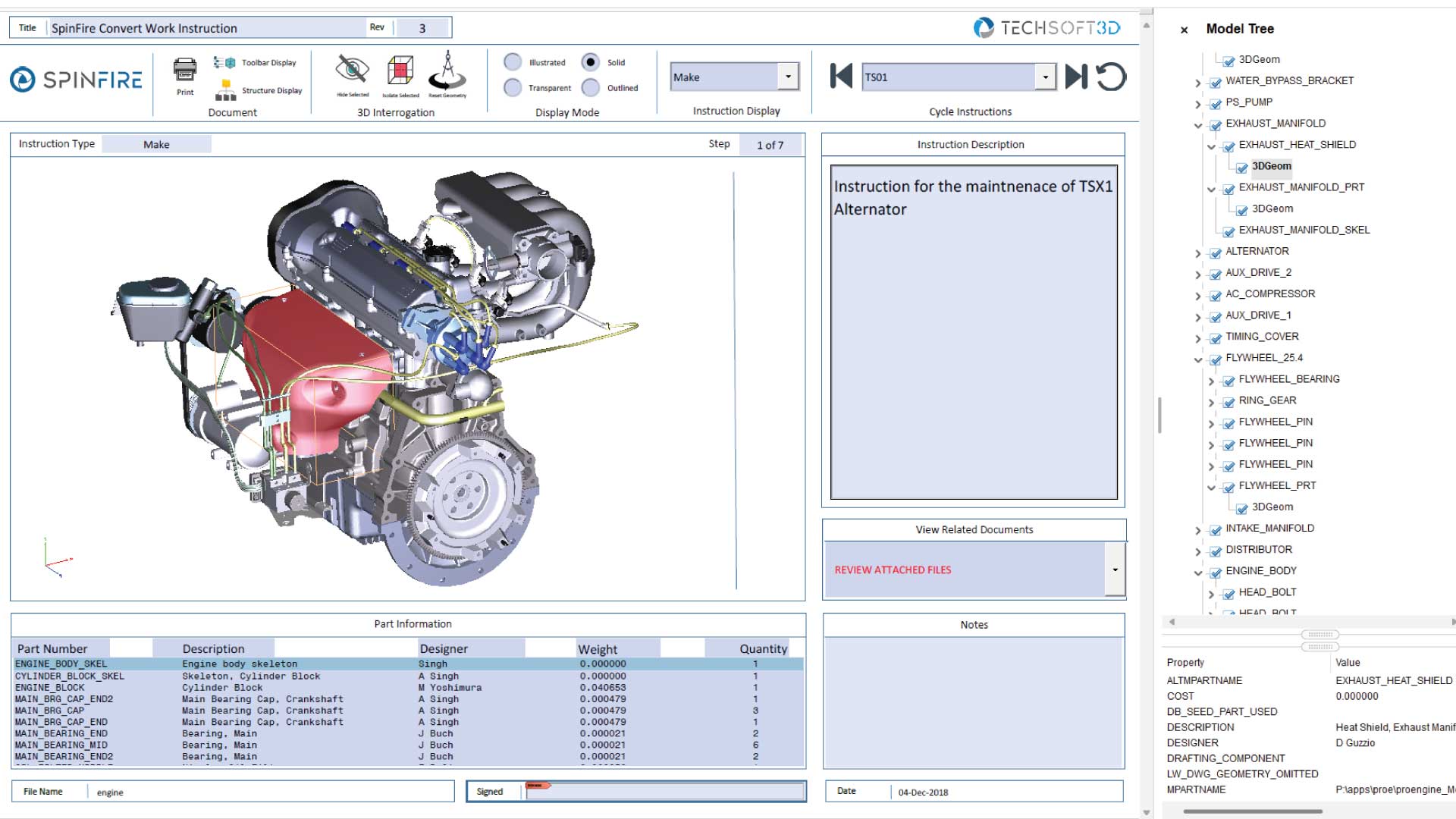
Work Instructions
Create clear, step-by-step work instructions in a single 3D PDF, combining interactive CAD with all supporting content. Help teams follow processes accurately with better context and visibility at every stage.
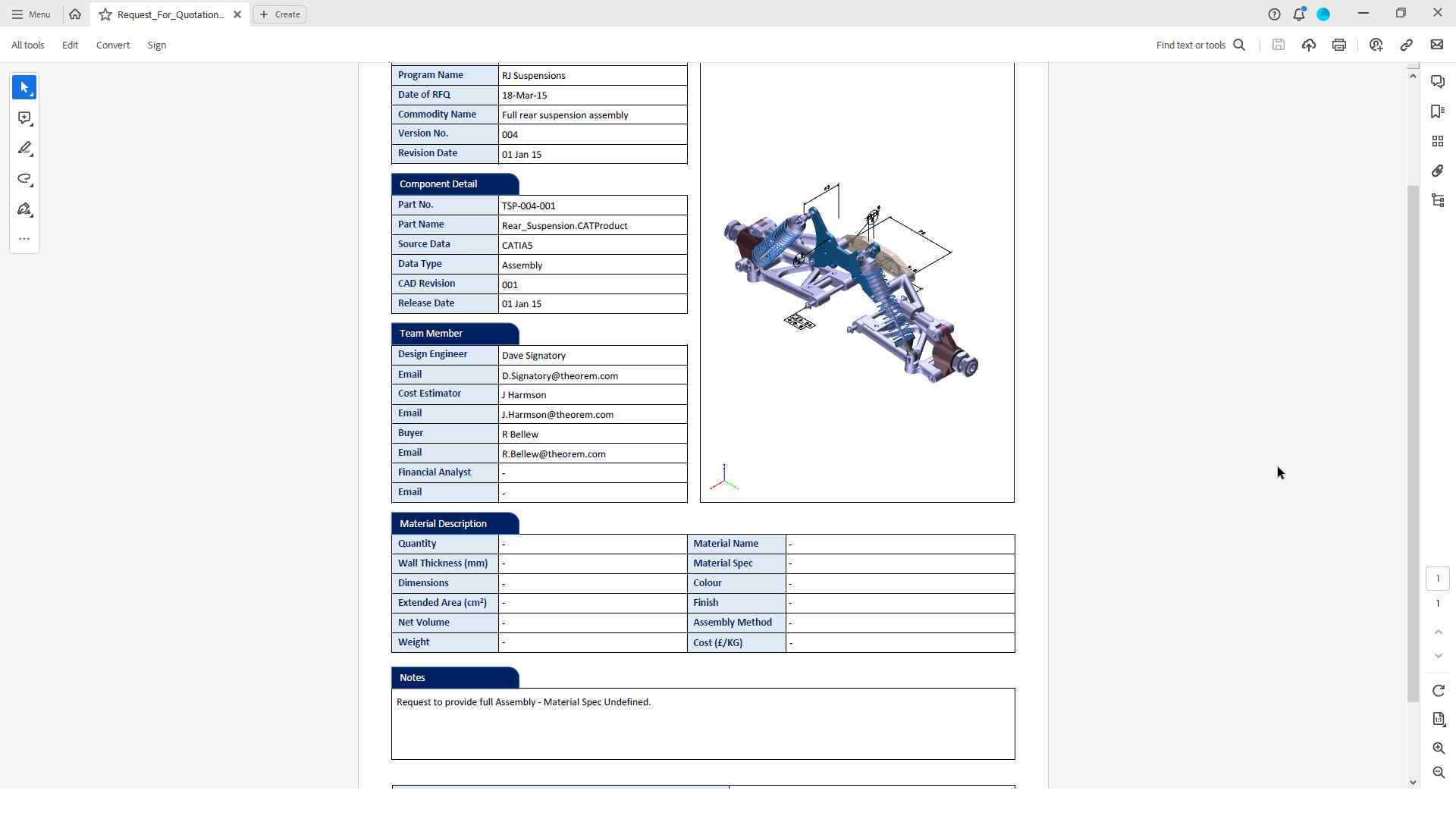
Request for Quotation (RFQ)
Create complete RFQ packages in a single 3D PDF, combining interactive CAD with all relevant product data. Give suppliers the clarity they need to quote accurately and reduce back-and-forth.
Why SpinFire Convert?
Built on Theorem technology and 30+ years of experience with CAD-to-CAD conversion and PLM data exchange, our solutions are built with development tools and APIs supplied and supported by the major CAD vendors that we have strategic partnerships with. This means we can provide you with a robust application that offers full control over data preparation and optimization for the target formats.
SpinFire Convert 3D PDF Solutions
3D PDF Create
Publishes from within the native CAD system and uses the Save As/Export function to create the 3D PDF. Users can publish to multiple company-branded document types simultaneously.
3D PDF Enhance
Combines 3D PDF Create capabilities with the ability to batch publish from 3DEXPERIENCE, CATIA V5, NX, CREO, and JT systems, allowing for ad hoc and volume publishing.